Shareable Links
Share Requirements work through public or password-protected read-only links.
Overview
Plan limits
Freelance accounts can have 1 active share link total. Professional and Team plans are not limited by the Freelance one-link cap.
Create a share link when someone needs to review Requirements work without signing into the app.
Share links are read-only. Recipients can view the shared content, but they cannot edit requirements, move Kanban cards, complete criteria, or change artifacts.
What You Can Share
You can create share links for:
Board: The active use cases board.Requirement: One requirement, including its use cases and acceptance criteria.Use Case: One use case and its acceptance criteria.
Each individual board, requirement, or use case can have one active link at a time. Revoke the current link before creating a new one with different access settings.
Create a Share Link
To share the Requirements board:
- Open
Requirements. - Click the toolbar
Share Boardbutton. - Choose
PublicorPassword. - Click
Generate link.
To share a requirement, open the requirement card's Actions menu and choose Share.
Access Options
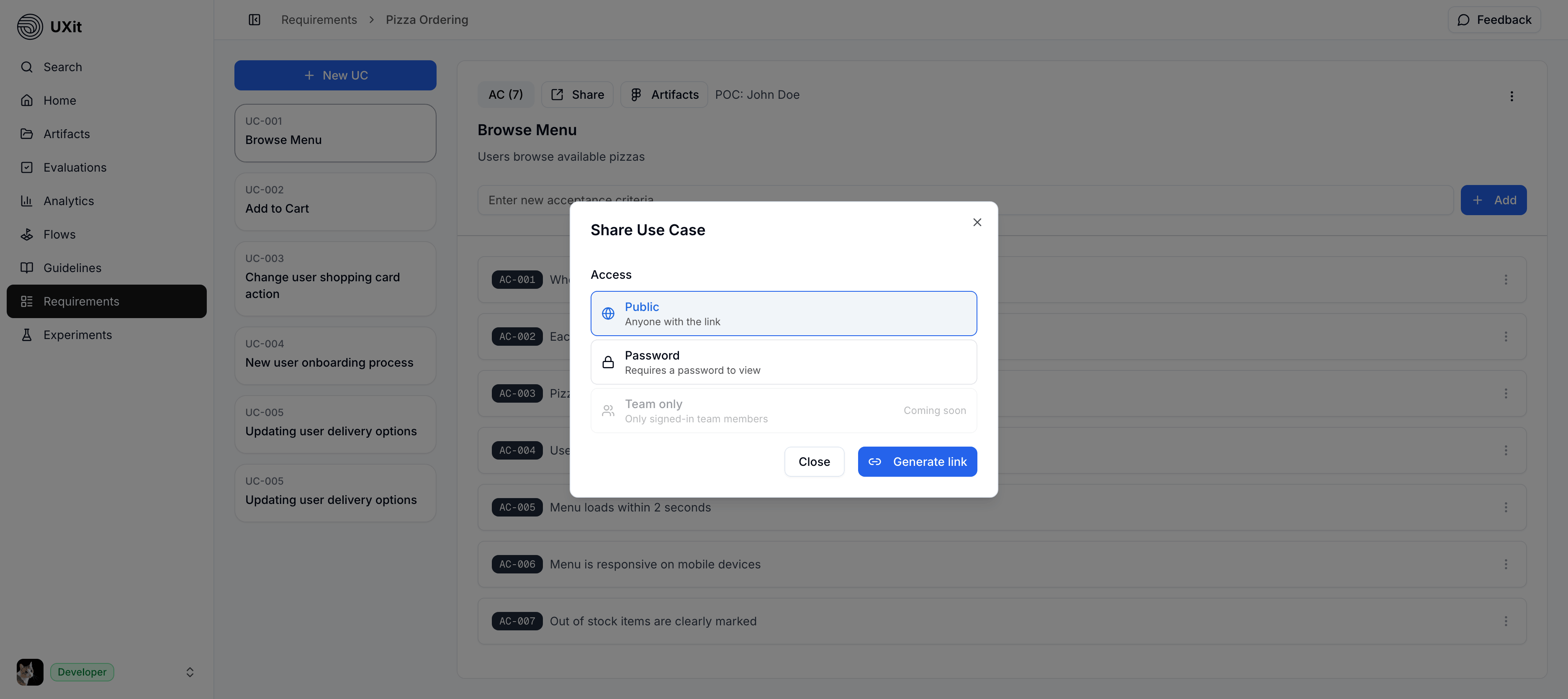
Public
Public links can be opened by anyone who has the URL.
Use this for low-friction stakeholder review when the content does not need a password.
Password
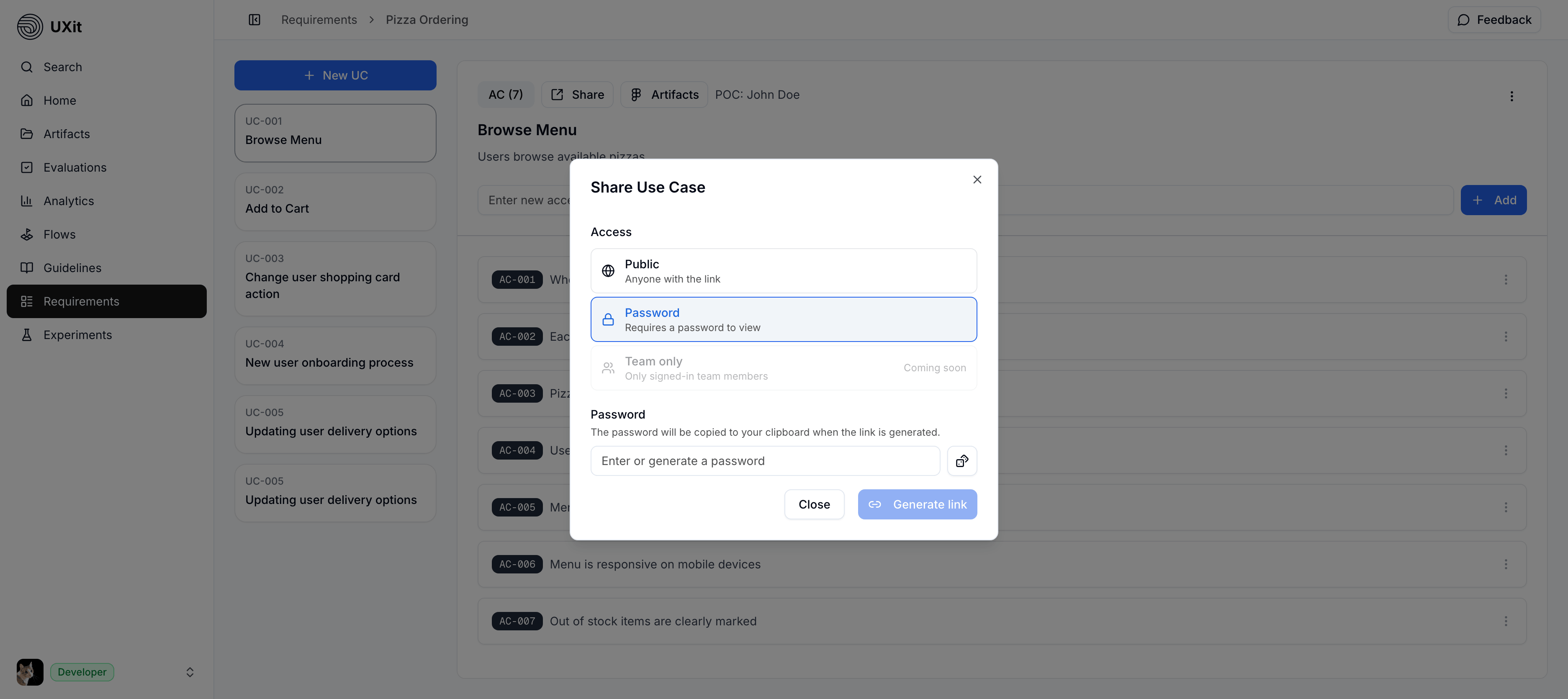
Save the password
Passwords are not shown again after generation. If the password is lost, revoke the link and create a new one.
Password links require the recipient to enter a password before viewing the share page.
You can type your own password or use the dice button to generate a random passphrase. When the link is generated, UXit copies the password to your clipboard.
Team Only
Coming soon
Team only access is disabled in the current beta. Use Public or Password links for now.
Team only is visible in the share dialog, but it is not available yet.
Active Links
After a link exists, the share dialog shows Active link. From there, you can:
- Open the link in a new tab.
- Copy the link.
- Revoke the link.
Freelance accounts also show the active-link count, such as 1/1 on Freelance.
What Recipients See
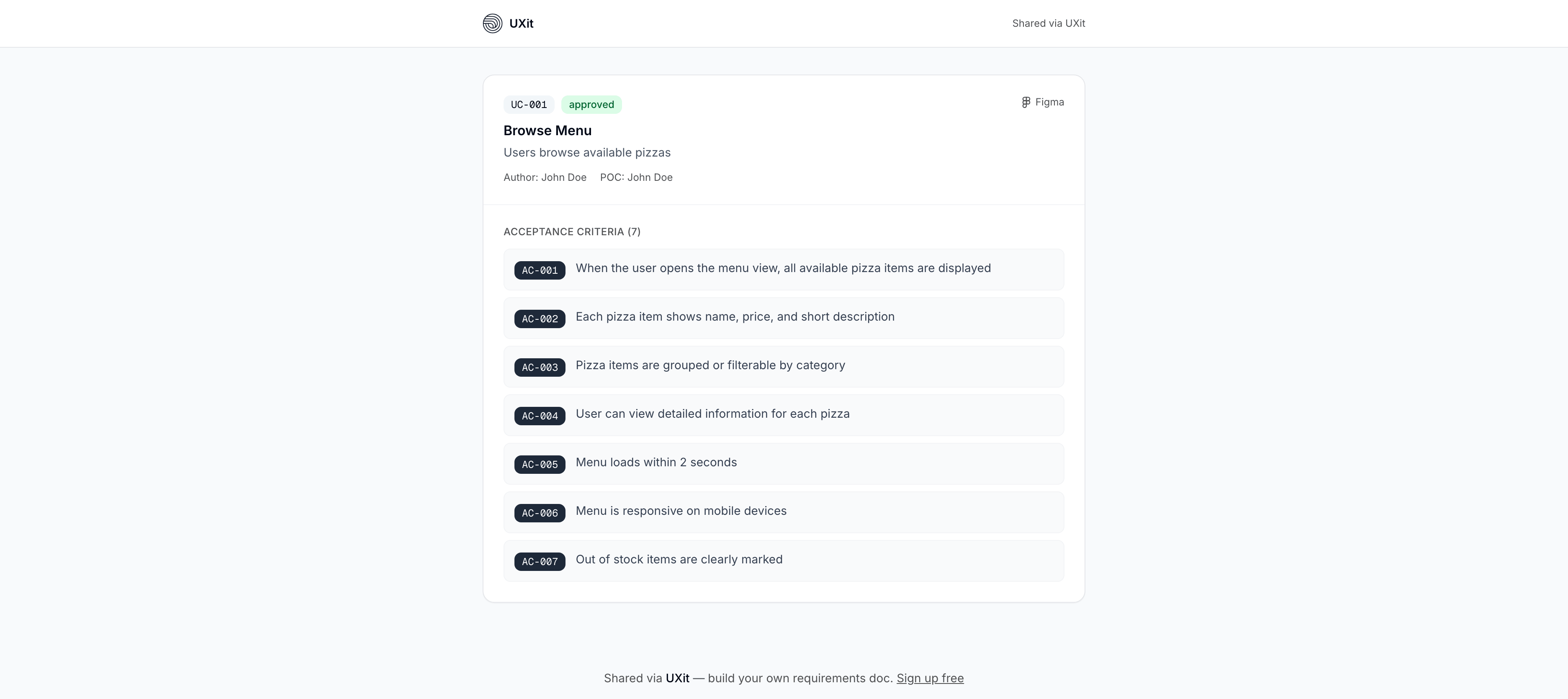
Shared pages open outside the app shell and show Shared via UXit branding on Freelance accounts.
- Board shares show a read-only
Use Cases Boardwith active use cases grouped by column. - Requirement shares show the requirement title, description, tracking link when present, use cases, and acceptance criteria.
- Use case shares show the selected use case and its acceptance criteria.
Best Practices
- Use
Passwordfor client reviews, stakeholder feedback, or any link that may be forwarded. - Revoke links when the review is finished.
- Share a single requirement or use case when the recipient only needs focused context.
- Share the board when the recipient needs to understand workflow status across active use cases.