Artifact Tests
Browse, filter, and manage saved test artifacts in one table.
Overview
The Tests tab is the structured-record side of the Artifacts workspace.
Use it to browse, search, filter, open, rename, and delete saved test artifacts from one central table. As artifact data grows across the workspace, this page gives you a practical way to review stored test records and maintain them over time.
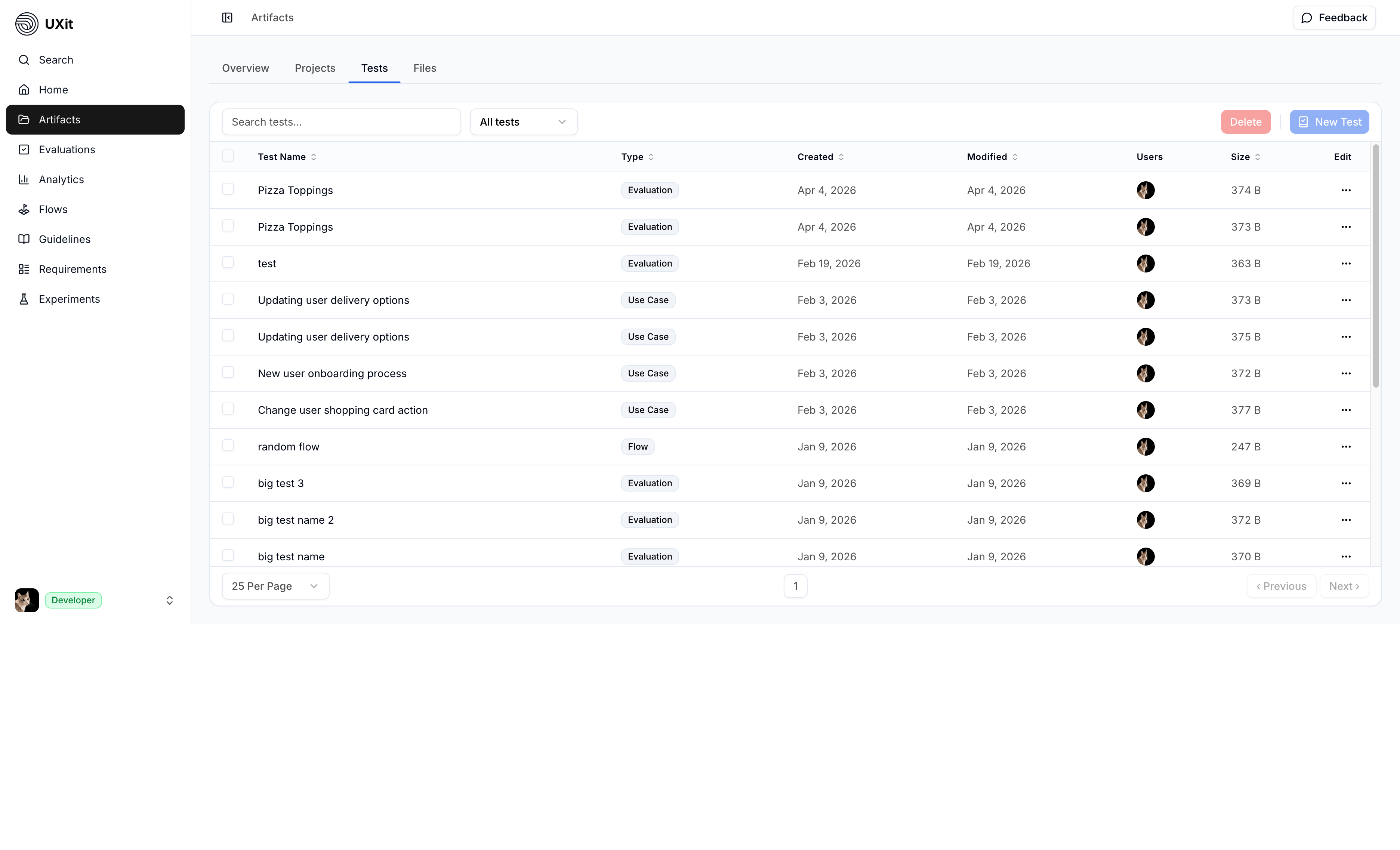
Test Table
The Tests tab displays saved test artifacts in a searchable, filterable table. Use Search to find a record by name, and use the type filter to switch between View All and a specific artifact type.
This gives you one place to review stored records instead of checking each test type separately. Depending on what exists in your workspace, the table can include:
EvaluationsGuideline SetRequirementsUse CasesBenchmarksMuse
Edit Column
The table includes an Edit column for artifact-level actions.
Current row actions include:
OpenGo to the workspace that owns the artifact.RenameUpdate the saved name without changing the artifact type or linked data.DeletePermanently remove the selected artifact after confirmation.
Open takes you to the workspace that owns the record. For example, completed Evaluations and Benchmarks -> Analytics, Guideline Set -> Guidelines, and Muse -> Requirements
Delete Artifacts
Use the row selection checkboxes to select one or more saved test artifacts, then use Delete and confirm in the dialog to remove them from the table.
Warning
Deleting test artifacts is permanent and cannot be undone.
Pagination
Use the pagination controls at the bottom of the table to move through larger result sets.
The footer also shows how many artifacts are currently visible versus the total available, such as Showing artifacts: 15 of 20.