Archive
Archive requirements, restore them later, or permanently delete old requirement work.
Overview
Archive removes a requirement from active Requirements and Kanban work without permanently deleting it.
Use Archive when a requirement is paused, no longer current, or not needed on the active board right now. Because use cases and acceptance criteria live inside a requirement, archiving the requirement also removes its related use cases and criteria from active Requirements views.
Archive a Requirement
To archive a requirement:
- Open
Requirements. - Open the requirement card's
Actionsmenu. - Choose
Archive.
The requirement leaves the active list. Its use cases also leave the Kanban board because they belong to that requirement.
Open Archive
Use the archive button in the Requirements toolbar to open Archive. If archived requirements exist, the toolbar button shows a count badge.
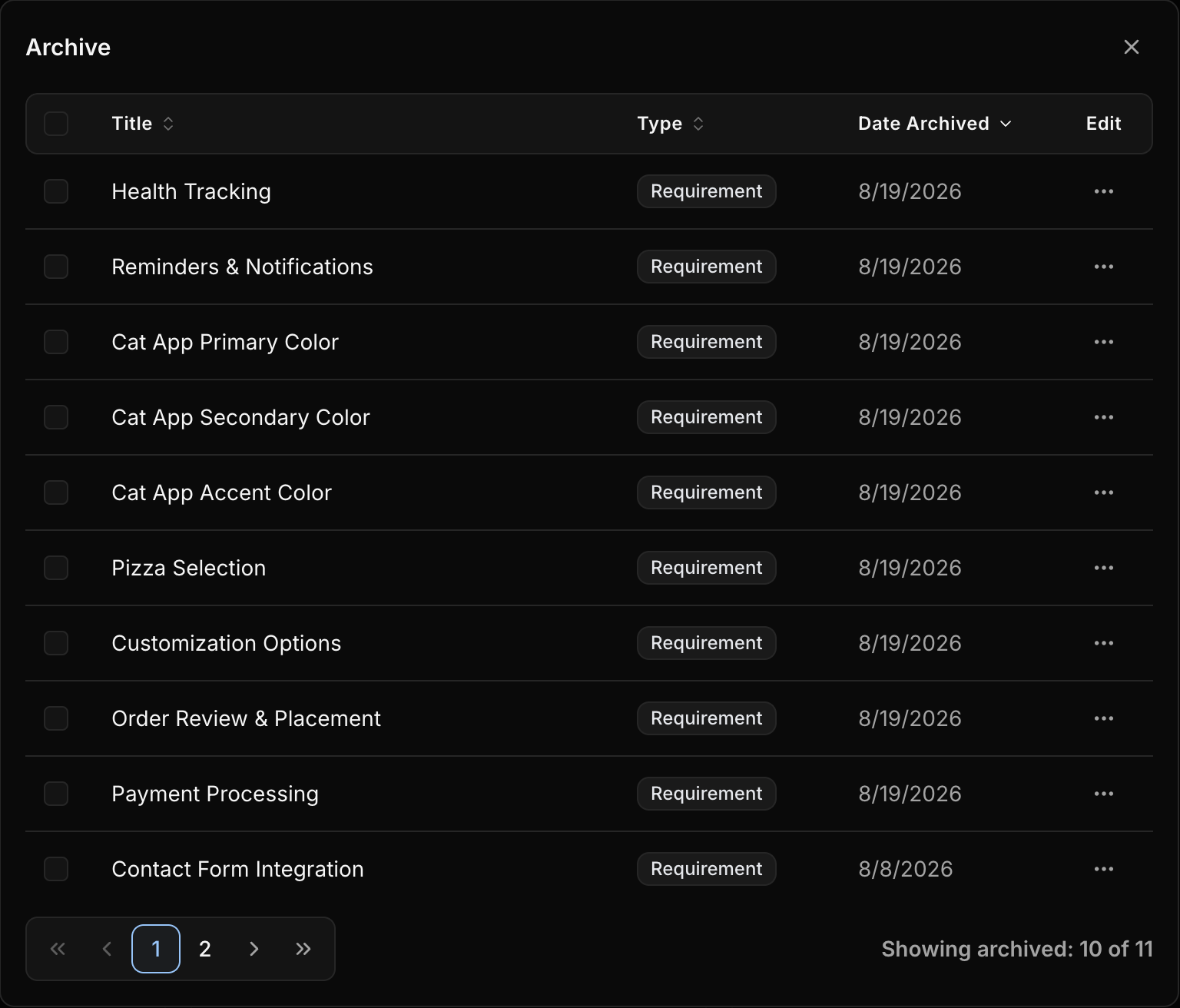
The archive table shows:
Title: The archived requirement name.Type: The archived item type.Date Archived: When it was archived.Edit: Row actions for restore or permanent delete.
Restore a Requirement
Use Restore when archived work should return to active Requirements.
Restoring a requirement brings the requirement back into active work. Its use cases and acceptance criteria return with it.
Delete Permanently
Permanent delete
Permanent delete cannot be undone. It removes the requirement and all of its use cases and acceptance criteria.
Use Delete only when the requirement should be removed for good.
Best Practices
- Archive paused or inactive work instead of deleting it.
- Restore archived
Requirementswhen work resumes. - Delete only when you are sure the
Requirement,Use Cases, andAcceptance Criteriaare no longer needed. - Keep the active
Requirementslist focused on work that still needs planning, review, or delivery.