Kanban
Track Requirements workspace use cases on a status board.
Overview
Kanban is a board for tracking work by status. Instead of reading a flat list, you move cards across columns such as To Do, In Progress, and Completed as the work changes. UXit comes with starter columns, but you can add, rename, move, collapse, recolor, or delete columns to fit your workflow.
In UXit, Kanban cards are use cases. This means the board tracks scenario-level work, not just requirement containers. A requirement may contain several use cases, and each use case can move through the board independently.
Use Kanban when you want to see what scenarios are waiting, what is being worked on, and what is done.
Open Kanban
- Open
Requirements. - Select the
Kanbantab.
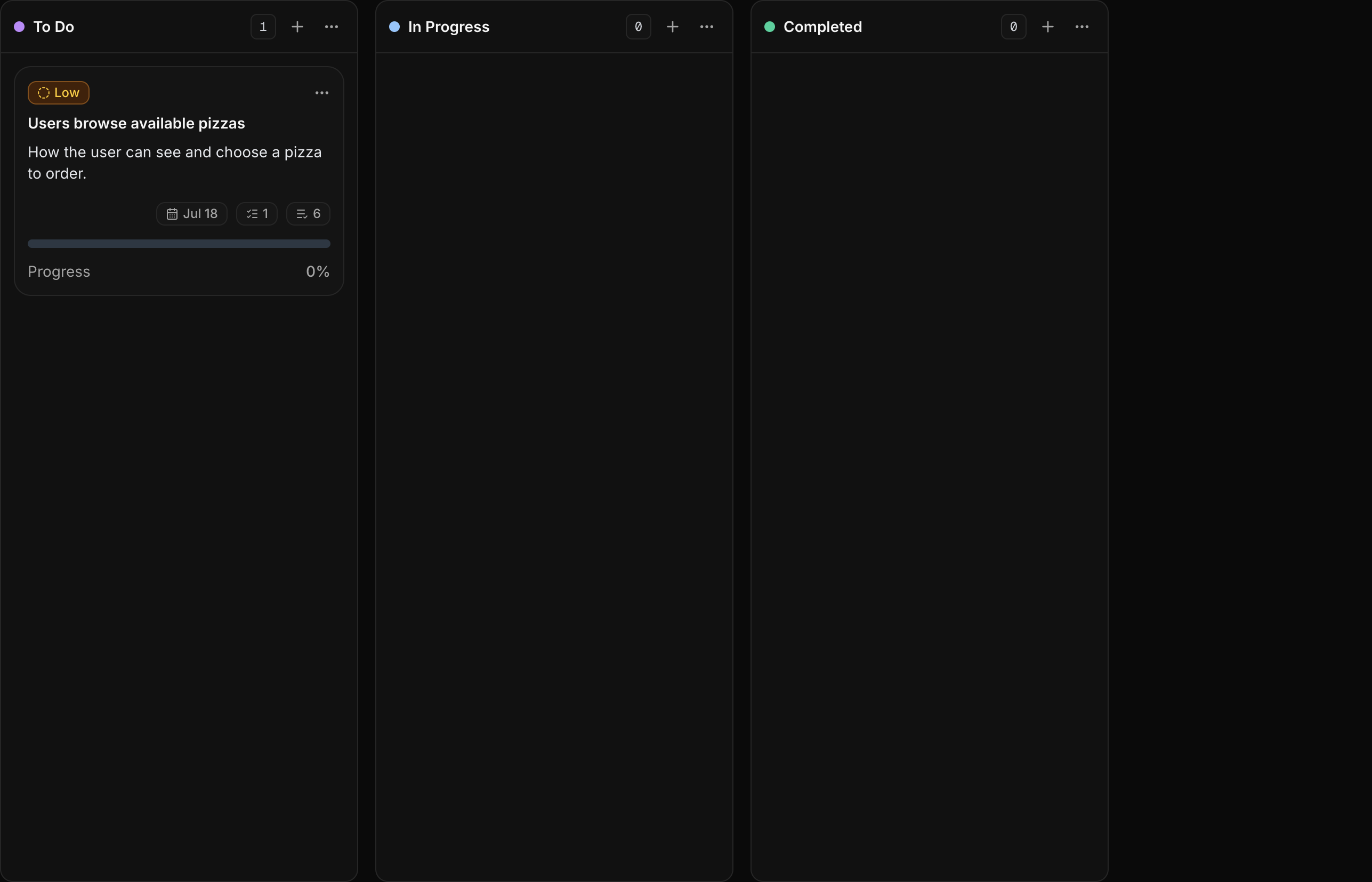
Workspace Scope
The board belongs to the active workspace. Freelance and Professional plans include 1 workspace, so those accounts use one Requirements board for that workspace. Team includes unlimited workspace capacity, but workspace switching is not active in the app yet.
For example, if you are planning a pizzeria app and a pet adoption website in the same active workspace, they appear in the same Requirements area. When multi-workspace switching ships, changing workspace will load that workspace's own Requirements and Kanban data.
Board Columns
Columns represent workflow status. The default board can include columns such as To Do, In Progress, and Completed, but the board is not limited to those three. Add columns for steps like Ready for Review, Blocked, Client Review, or Approved when that better matches how your team works.
Each column header shows:
- A color dot.
- Column name.
- Use case count.
- Plus button for adding a use case.
- Column action menu.
Use the plus button in a column to add a use case directly into that status.
Column Actions
Open the column ... menu to manage the column.
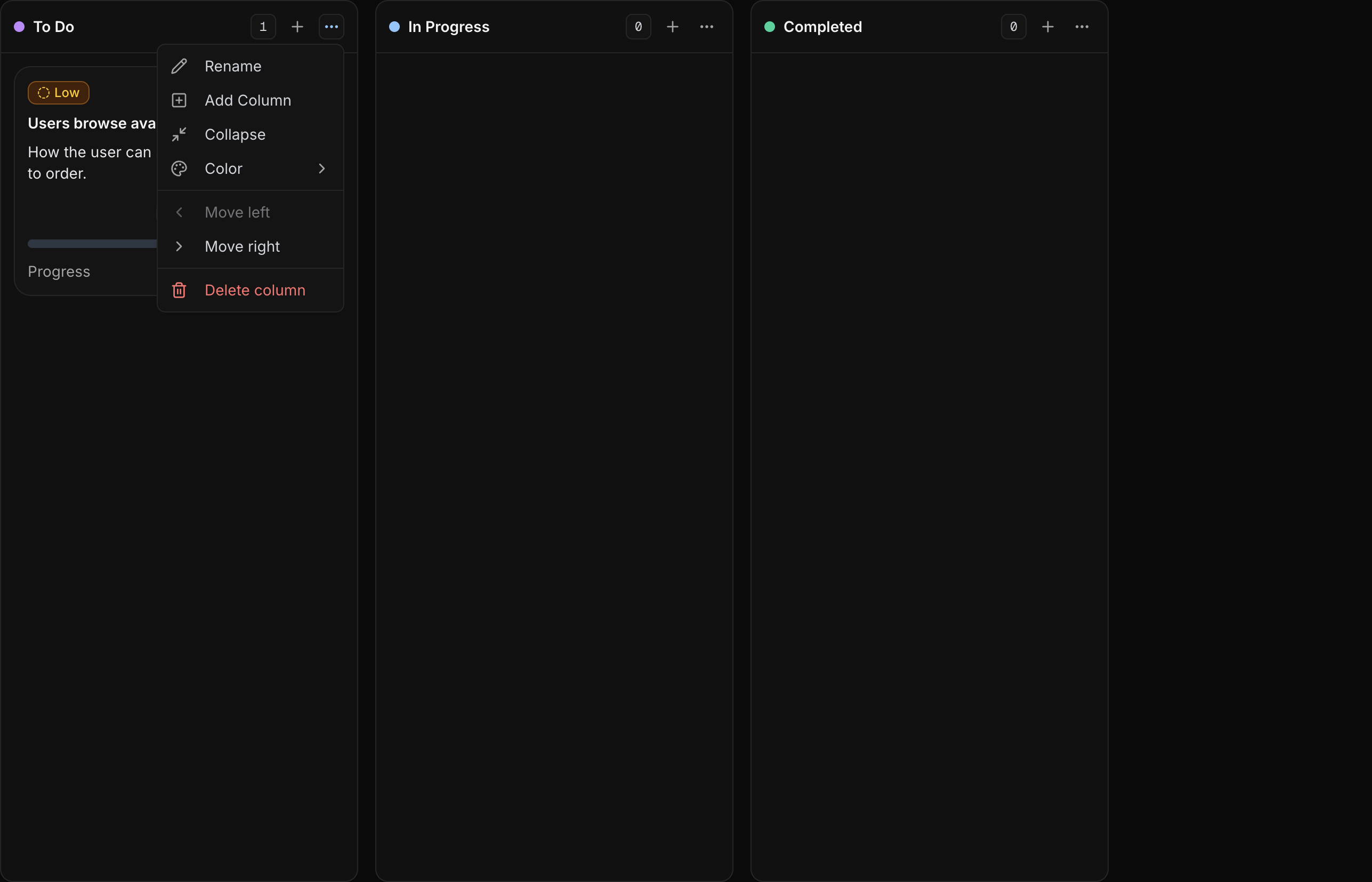
Rename: Rename the column inline.Add Column: Create a new column after the current one.Collapse: Collapse the column into a narrow vertical tab.Color: Change the column color.Move left: Move the column one position left.Move right: Move the column one position right.Delete column: Delete the column. Any use cases in it move to the first remaining column.
Use Case Cards
Use case cards summarize the scenario without forcing you to open the drawer every time.
Priority
Priority shows whether the use case is Low, Medium, or High priority. Use it to call attention to scenarios that need review first.
Title and Description
The title names the scenario. The description gives just enough context to understand what the user is trying to do.
Card Hero Image
The card hero image gives the scenario visual context, such as a wireframe, mockup, prototype state, or screen reference.
Point of Contact
The point of contact shows who owns or leads the use case. This helps reviewers know who to ask when a scenario needs clarification.
Created Date
The date badge shows when the use case was created.
Use Case Count
The use case count shows how many use cases belong to the parent requirement.
Acceptance Criteria Count
The acceptance criteria count shows how many criteria are attached to the use case.
Progress
Progress shows how many acceptance criteria are marked complete. When a criterion is checked in the drawer, this percentage updates on the card.
Actions Menu
The card Actions menu currently includes Archive, which archives the parent requirement.
Drag & Drop
Drag a use case card to reorder it within a column or move it into another column. UXit saves the card position after the drop.
Use drag and drop when a scenario changes status, when a blocked card needs to move out of the active lane, or when the order inside a column should match review priority. The board updates immediately while you drag so the movement feels direct instead of like a table edit.
Drag behavior
Drag the use case card itself. Drop it higher or lower in the same column to reorder, or drop it into another column to change status.
Use Case Drawer
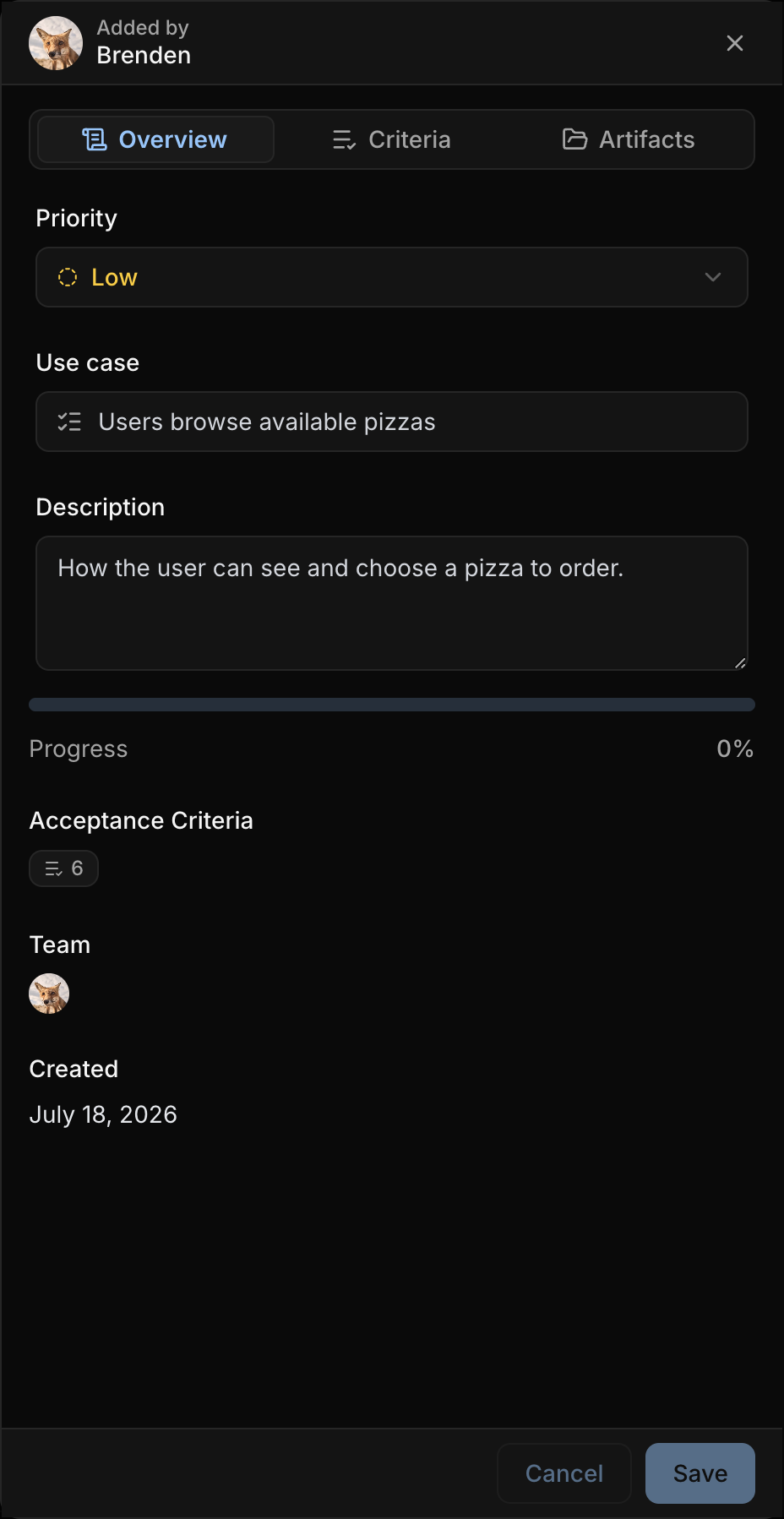
Click a use case card to open the drawer. The drawer keeps the board in view while letting you update the selected use case.
The drawer includes:
Overview: Priority, editable use case title and description, progress, team, tracking link, and created date.Criteria: Add, complete, edit, delete, and reorder acceptance criteria.Artifacts: Upload or remove the card hero image.
Card Hero Images
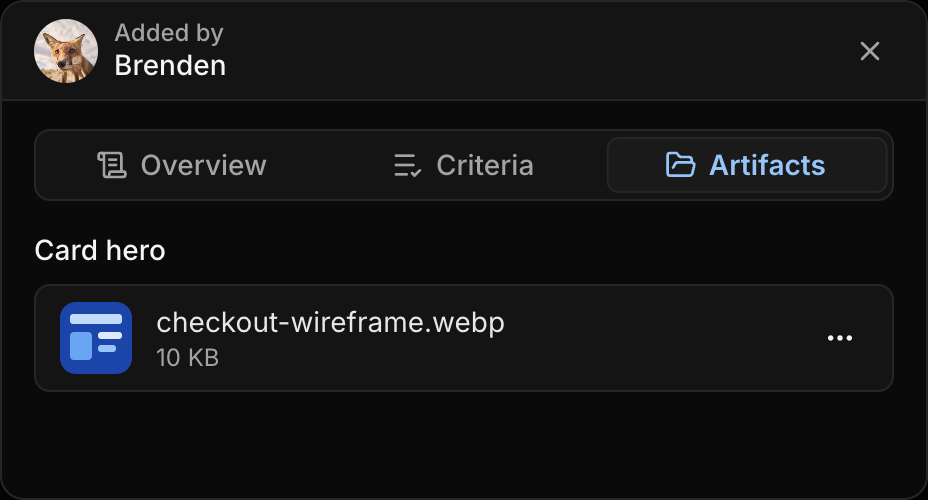
A card hero image gives a use case visual context on the board. Use it for a mockup, screen state, flow step, or reference image that helps someone understand the scenario quickly.
Hero images are managed from the drawer's Artifacts tab or when creating a use case from Kanban.
Best Practices
- Use columns for workflow status, not product categories.
- Keep column names short so the board stays easy to scan.
- Move cards as the scenario changes status.
- Use priority for the use cases that need attention first.
- Add hero images when the card benefits from visual context.
- Keep acceptance criteria updated from the drawer so progress stays meaningful.