Account Ops
Account access controls & data operations.
Overview
The Account Ops page is where you manage sensitive account actions related to data export, annotation storage, account restoration, and permanent deletion.
Use this page when you need to export account data, connect your own CDN for annotation attachments, prepare for future account recovery, or permanently remove your account.
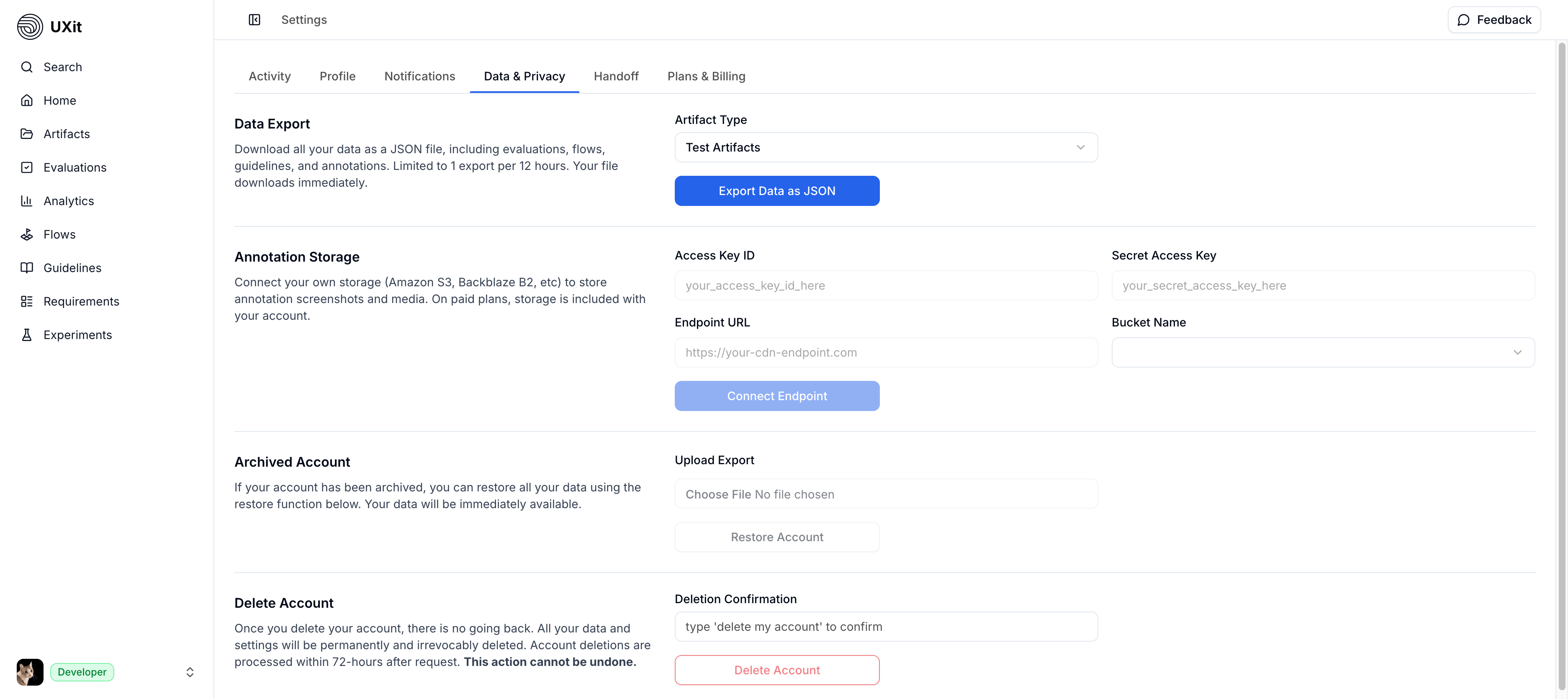
Data Export
Tip
Exports are limited to 1 export per 12 hours per account.
The Data Export section lets you download account data for use outside UXit.
Use the Artifact Type dropdown to choose the type of export you want to generate.
Current export types include:
- Test Artifacts: Structured account data exported as
JSON - File Artifacts: Hosted files such as images and other uploaded assets
Use Export Data as JSON to generate and download a test artifact export.
Beta
File Artifacts export is still under development and is not yet fully available.
Test artifact exports are portable and non-proprietary. Once downloaded, the data can be used in your own workflows, scripts, analytics pipelines, or external tools.
In Development
Data re-import from exported JSON files is still in development and is not available yet.
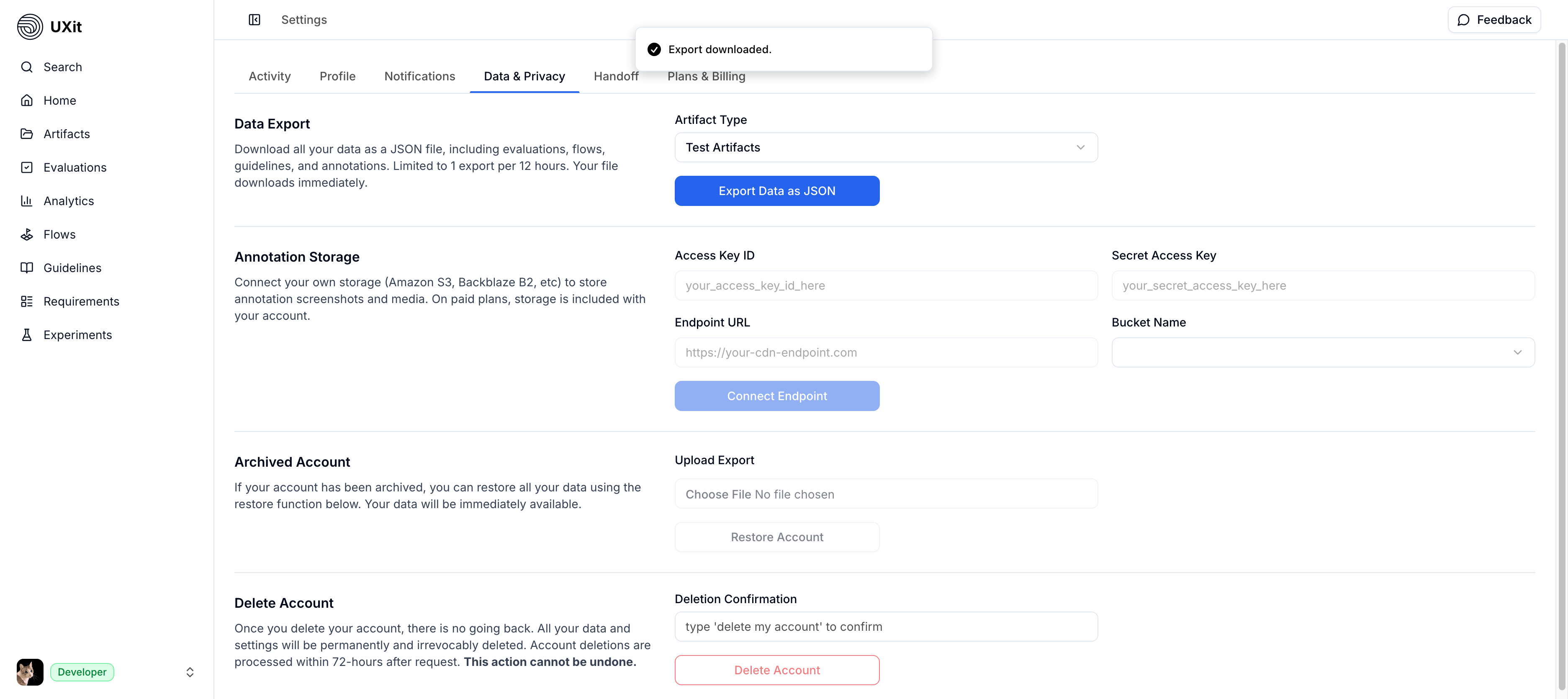
Annotation Storage
In Development
Third-party CDN configuration is still in development and is not available yet.
The Annotation Storage section lets you connect your own CDN for annotation media used throughout UXit.
This includes files attached in other parts of the product, such as screenshots, images, animated GIFs, WebP files, and videos added to annotations.
Supported providers include services such as Amazon S3 and Backblaze B2.
To connect your CDN, provide:
Access Key IDSecret Access KeyEndpoint URLBucket Name
Use Connect Endpoint after entering your CDN details.
Delete Account
Important
Export any data you want to keep before submitting a deletion request. Account deletion is irreversible. Once requested, your account, settings, and associated data are permanently purged from UXit systems and cannot be restored.
The Delete Account section is used to permanently remove your UXit account and its associated data.
To confirm deletion, type delete my account in the confirmation field before selecting Delete Account.
Deletion requests are processed within 72 business hours.