Managing Categories
Organize guideline criteria into meaningful groups for evaluation and analytics.
Overview
Categories organize related guideline criteria into logical groups. They help you scope issues into meaningful areas such as accessibility, usability, customization, or security so evaluations are easier to review and analytics are easier to interpret.
Instead of treating every criterion as one flat list, categories show where problems are actually happening. This makes it easier to understand which parts of the experience are performing well and which areas need attention over time.
Understanding Category Structure
Guideline Set: E-commerce Platform
├── Category 1: Navigation & Information Architecture
│   ├── How many clicks to find product categories?
│   ├── Is the breadcrumb trail visible?
│   └── Can users filter by multiple criteria?
├── Category 2: Visual Hierarchy
│   ├── Are call-to-action buttons prominent?
│   ├── Is the visual weight balanced?
│   └── Can users distinguish interactive elements?
└── Category 3: Accessibility
    ├── Do all images have alt text?
    ├── Is color contrast WCAG AA compliant?
    └── Can the flow be navigated by keyboard only?
Each category acts like a parent folder for related guideline criteria. This structure helps keep evaluations organized and makes category-level reporting more useful later.
When to Add Categories
You can add categories while building a new guideline set or later as the set evolves.
Each category includes:
- Top-level category name.
- Identification color for guideline criteria ID tracking and category designation.
- All like-subject guideline criteria questions grouped under the category.
Use categories to separate different types of checks so evaluations stay easier to review and analytics stay easier to understand.
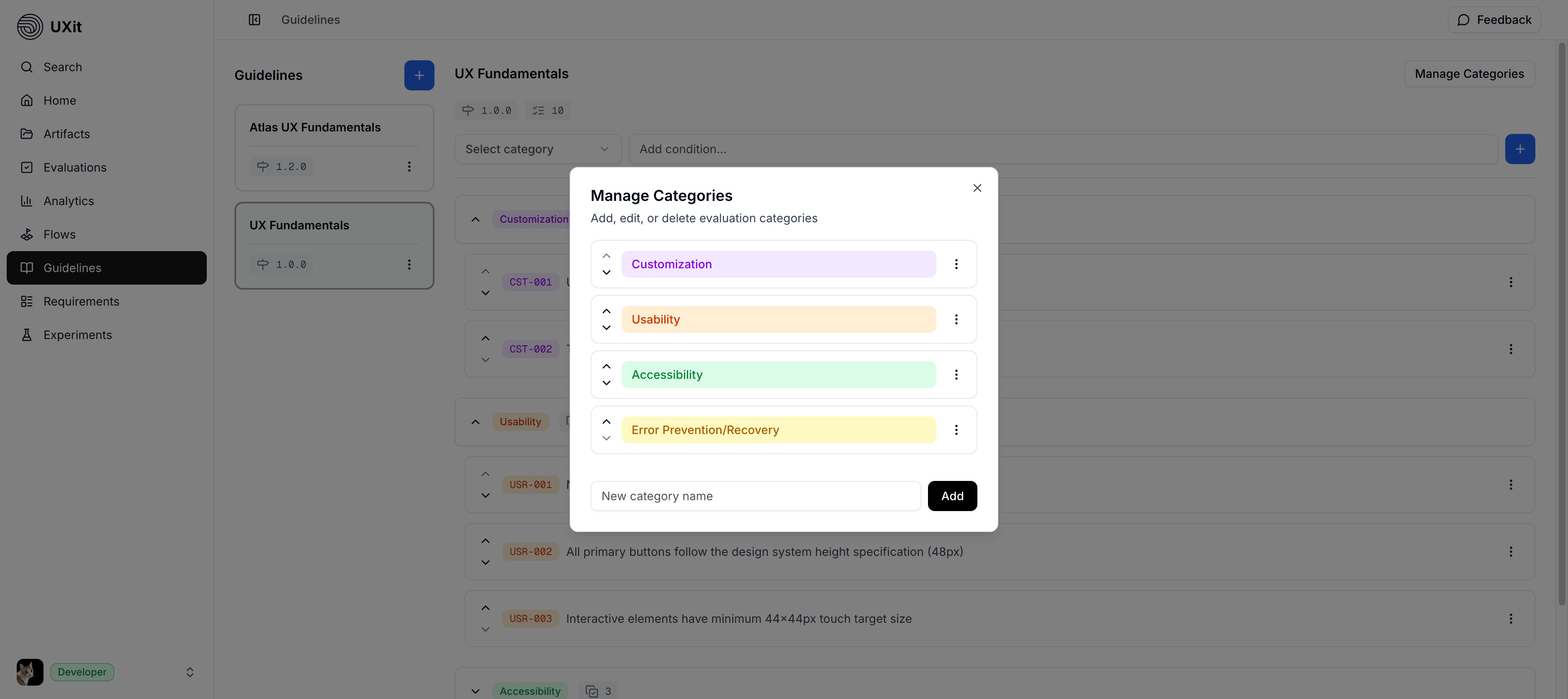
Add a Category
To add a category:
- Open
Guidelines - Select the guideline set you want to update.
- Click
Manage Categories - Enter the category name in the
New category nametext field - Click
Add
Renaming a Category
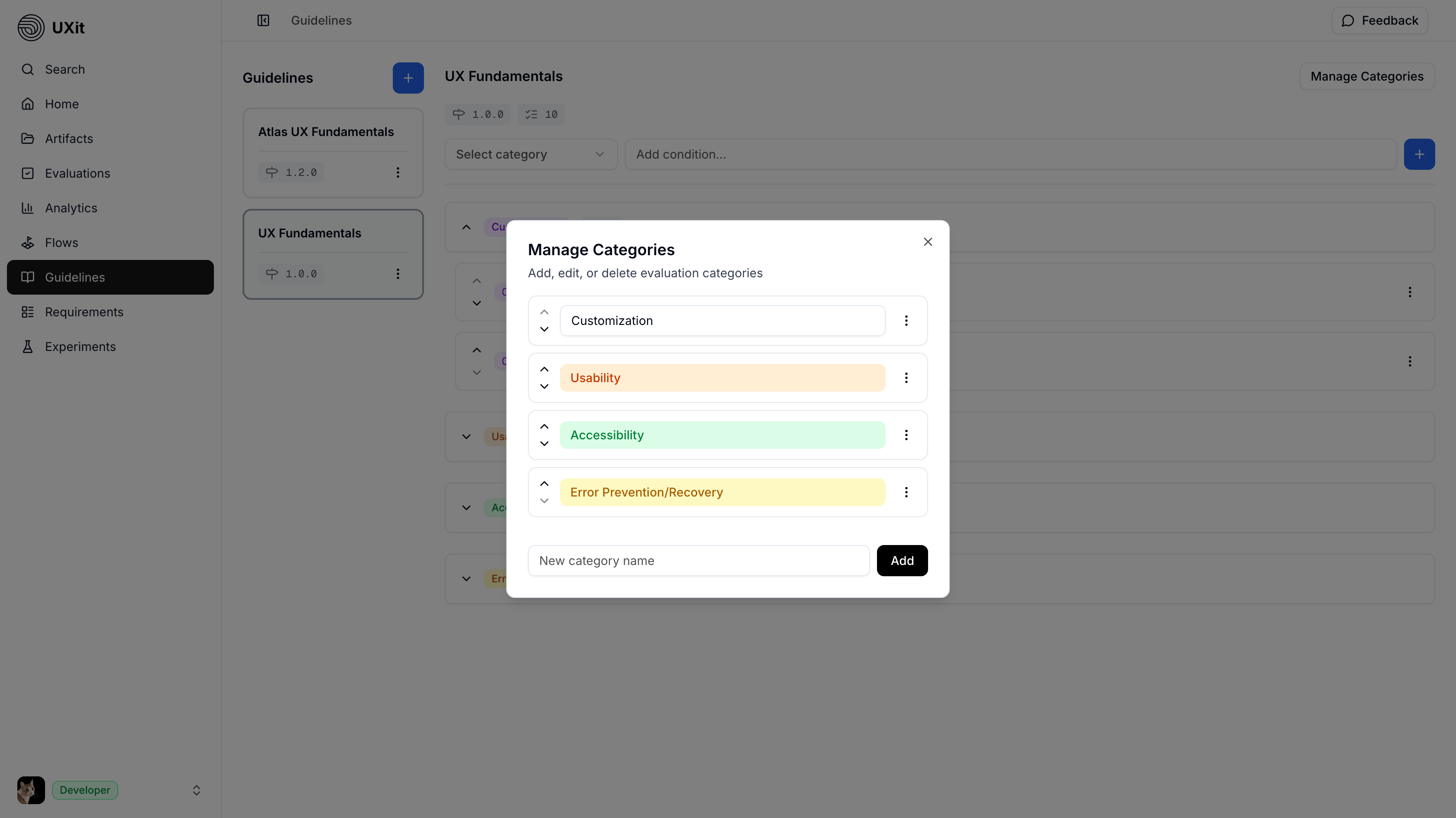
To update an existing category:
- Click
Manage Categories - Open the category ellipsis menu.
- Choose
Renameto update the category name.
Keep category names short, clear, and easy to scan so evaluators can quickly understand what each group covers.
Changing Category Color
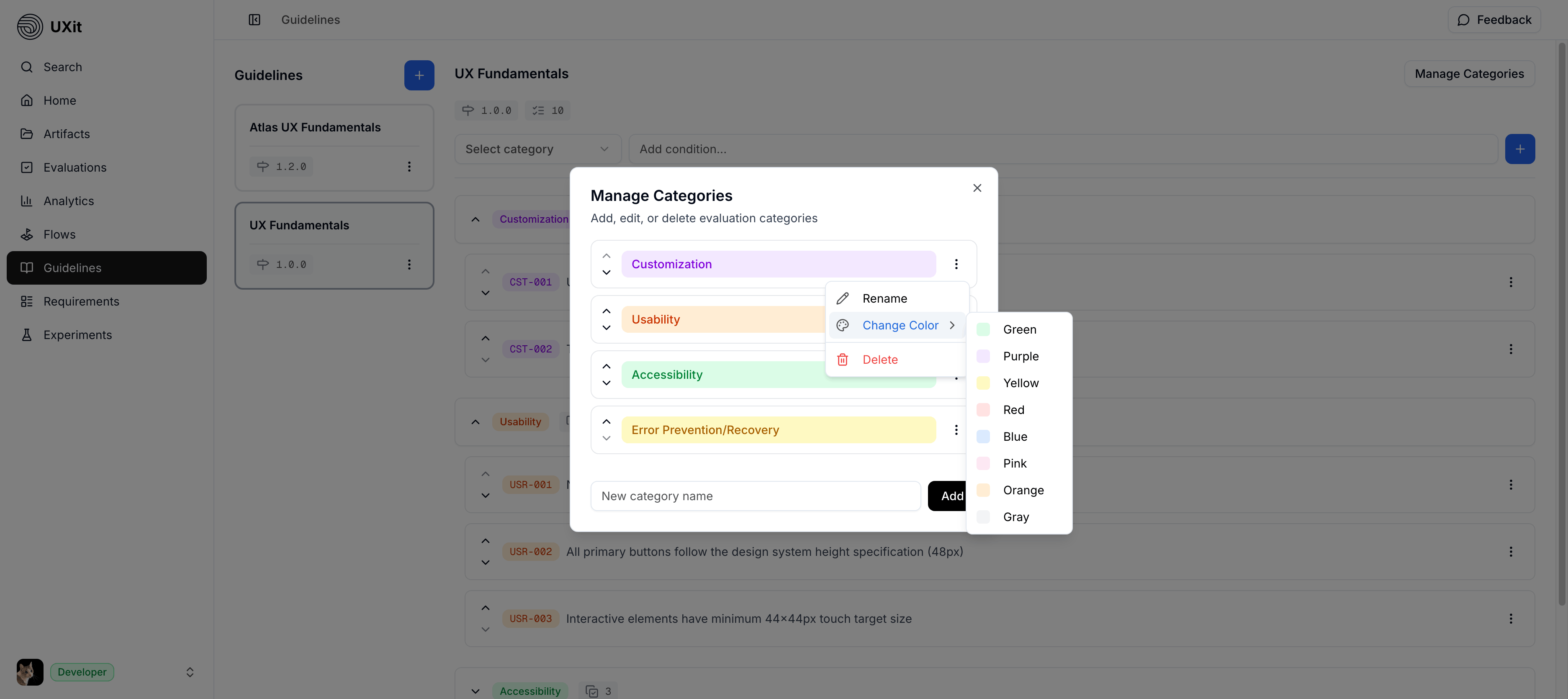
To change a category color, open the category ellipsis menu and choose Change Color. Designated category association colors are auto-populated across UXit, so no further action is required for updates to appear.
Tip
Category color has no effect on the final results. It is simply used for faster category association.
Reorder Categories
The order of your categories affects how evaluators move through the guideline set. A logical order makes reviews easier to follow and helps teams compare results more consistently over time.
To reorder categories:
- Open
Manage Categories - Find the category you want to move.
- Use
ChevronUpandChevronDownbeside the category to change its position.
Order categories in a way that matches how your team naturally reviews work. Group related issue types together so evaluations feel smoother and easier to repeat.
Delete a Category
Warning
Deleting a category also deletes all guideline criteria inside it. This action is irreversible.
To delete a category:
- Open
Manage Categories - Open the category action menu.
- Click
Delete
Best Practices
- Group related criteria together so each category reflects one type of issue.
- Use names that are clear at a glance, such as
Accessibility,Usability, orCustomization - Keep the category structure stable if you want cleaner comparisons across evaluations over time.
- Review category order periodically so it still matches how your team evaluates mockups and flows.