Artifact Projects
Organize artifacts into a higher-level project workspace.
Overview
The Projects tab is intended to help you keep like work together in one shared space.
Instead of treating every artifact as a separate standalone record, projects are designed to add a higher-level organizational layer to the Artifacts workspace. This can make it easier to mentally map large amounts of stored information and keep work easier to navigate over time.
Beta
Projects is still in early development. The current page introduces the purpose of projects, but full project organization and management workflows are not yet available.
What Projects Are For
Projects are intended to act as a shared container for work that belongs together at a higher level.
A project can help you cluster artifacts around the same area of work, such as:
- a feature
- a workflow
- a use case
- a product surface
- a broader initiative
This can be useful in both team and individual workspaces. A team may use projects to keep shared work organized across multiple contributors, while an individual user may use them to keep a large body of testing and planning work easier to navigate.
Why Projects Matter
As artifact data grows, it becomes easier to lose the connection between tests, findings, planning materials, and supporting records. Projects are intended to provide a higher-level structure so you can keep like work together instead of viewing every item in isolation.
For example, a team or individual user might keep several test types, findings, and related requirements for a single pizza toppings experience inside the same project so the work stays easier to understand in one place.
Current Page State
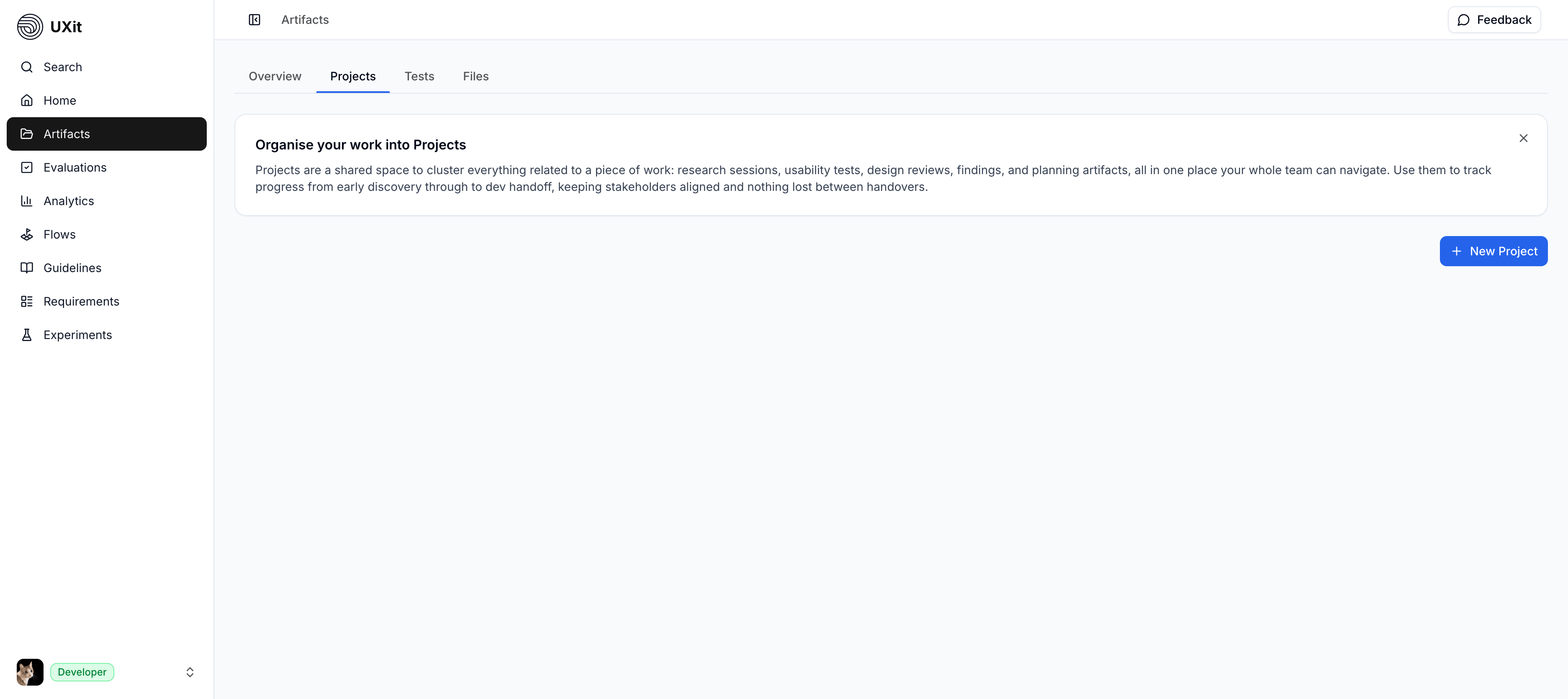
Right now, the Projects tab mainly serves as an introduction to the project concept.
The current UI shows:
- An informational banner explaining the purpose of projects.
- A
New Projectbutton.
A full project list and broader project-management workflow are not yet available in the current beta build.